
SLOTH-MOD
Make Minecraft mods by describing them
A free Windows app. Tell an AI what you want in plain English: Sloth-Mod plans it, writes it, builds it and gets it ready to play — with a hands-on 3D Studio, Visual Blueprints and full Code mode built right in.
Free. Windows 10 and 11, 64-bit. Works with free and local AIs.
Windows may show a blue warning. Sloth-Mod is free and not paid-signed, so Windows SmartScreen can say "Windows protected your PC". That is normal for a free app. Click More info, then Run anyway. Privacy · Security
Click the ground to summon a mob, click a mob to hit it, click the sloth to make it craft.

- Minecraft 26.3 / 1.21.1 / 1.20.1
- Fabric
- NeoForge
- Forge
- 3D Studio & Blueprints
- Any AI, cloud or local
- No accounts, no tracking
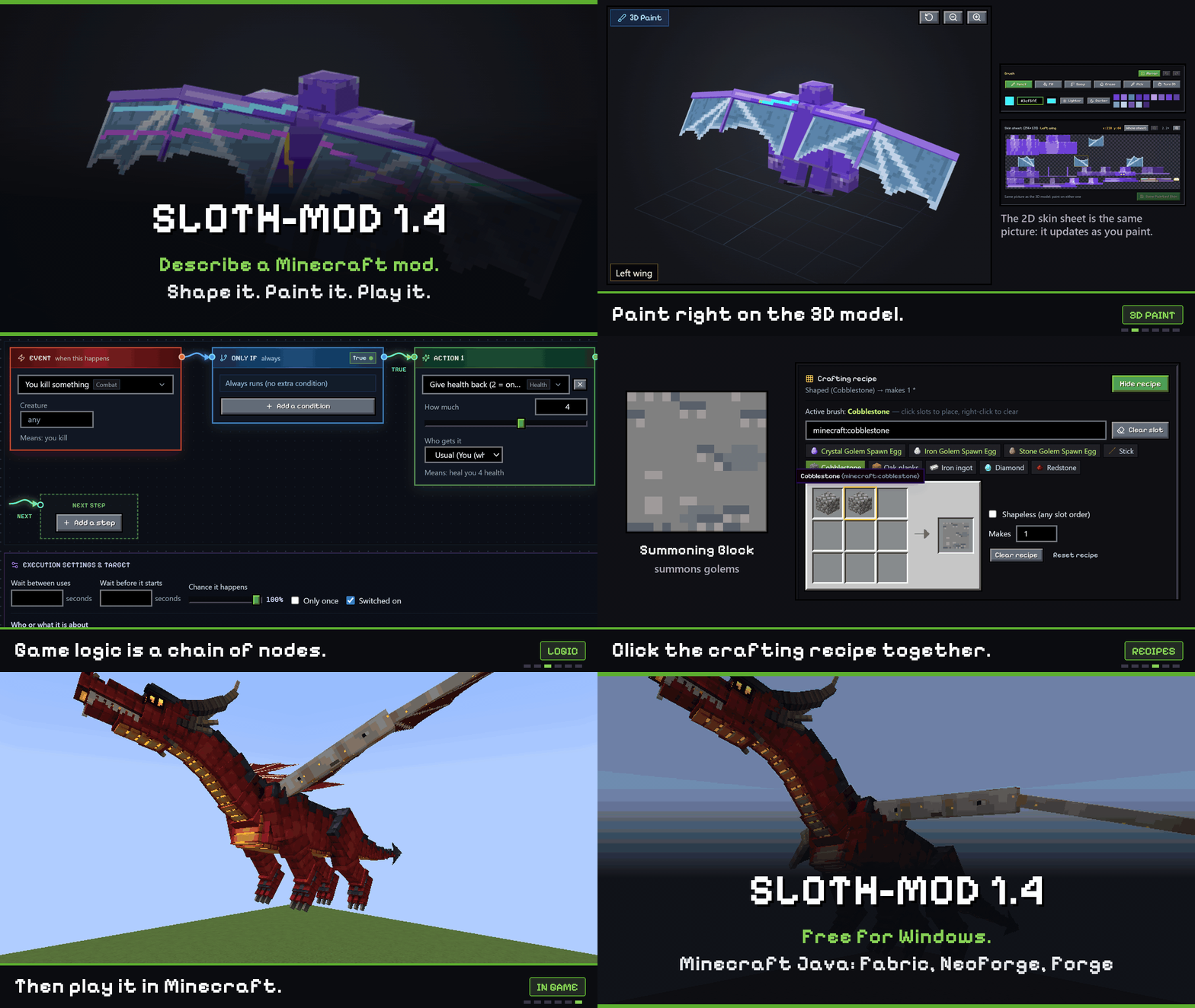
New in 1.4
Hands-on 3D painting, multi-branch visual Blueprints, real-icon crafting grids, action combat, spell wheels, passive skill trees, multi-move bosses and full Code mode.
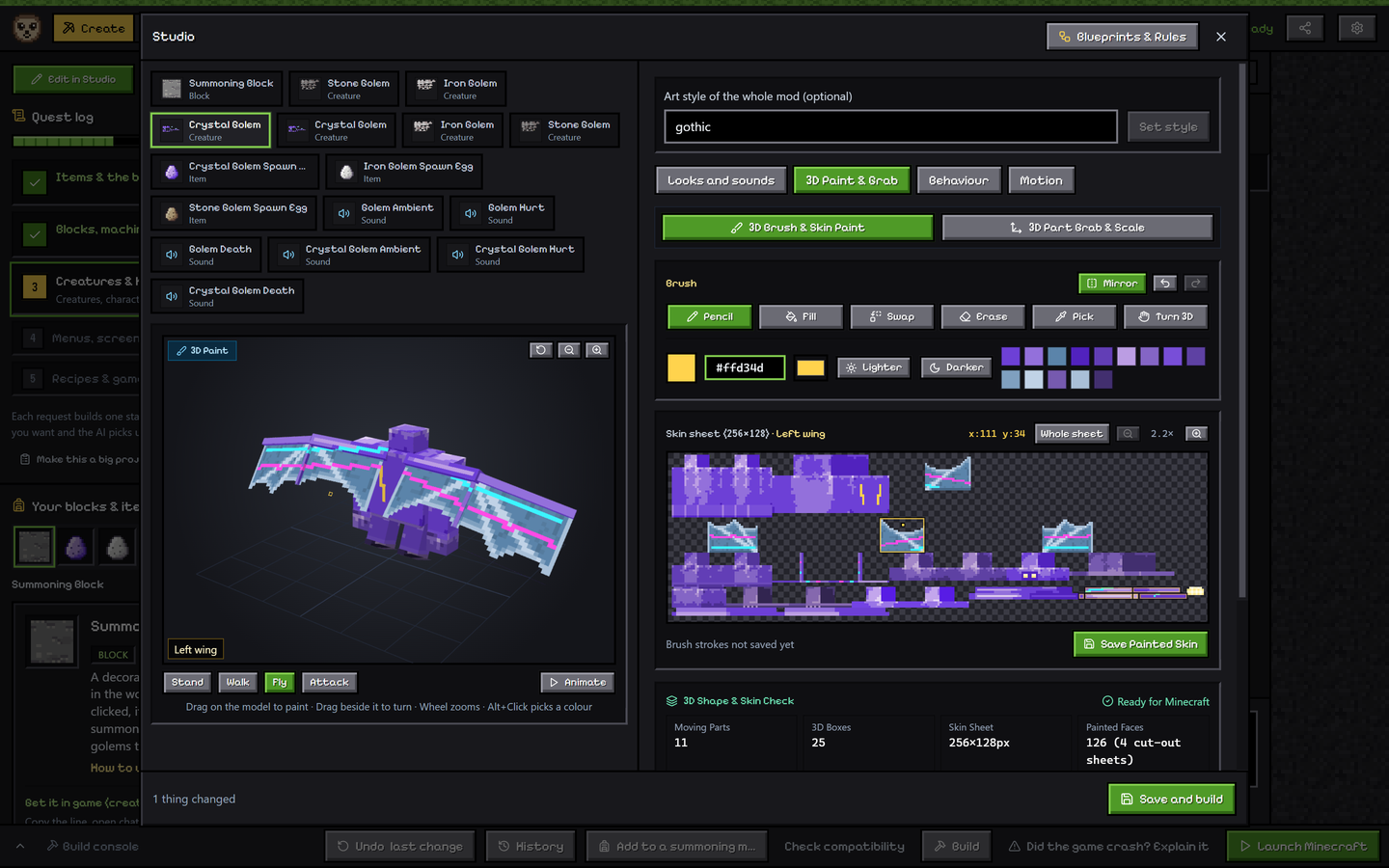
3D Paint & Grab in Studio — paint pixels directly onto 3D models synced live with the 2D UV sheet, or grab & scale body parts 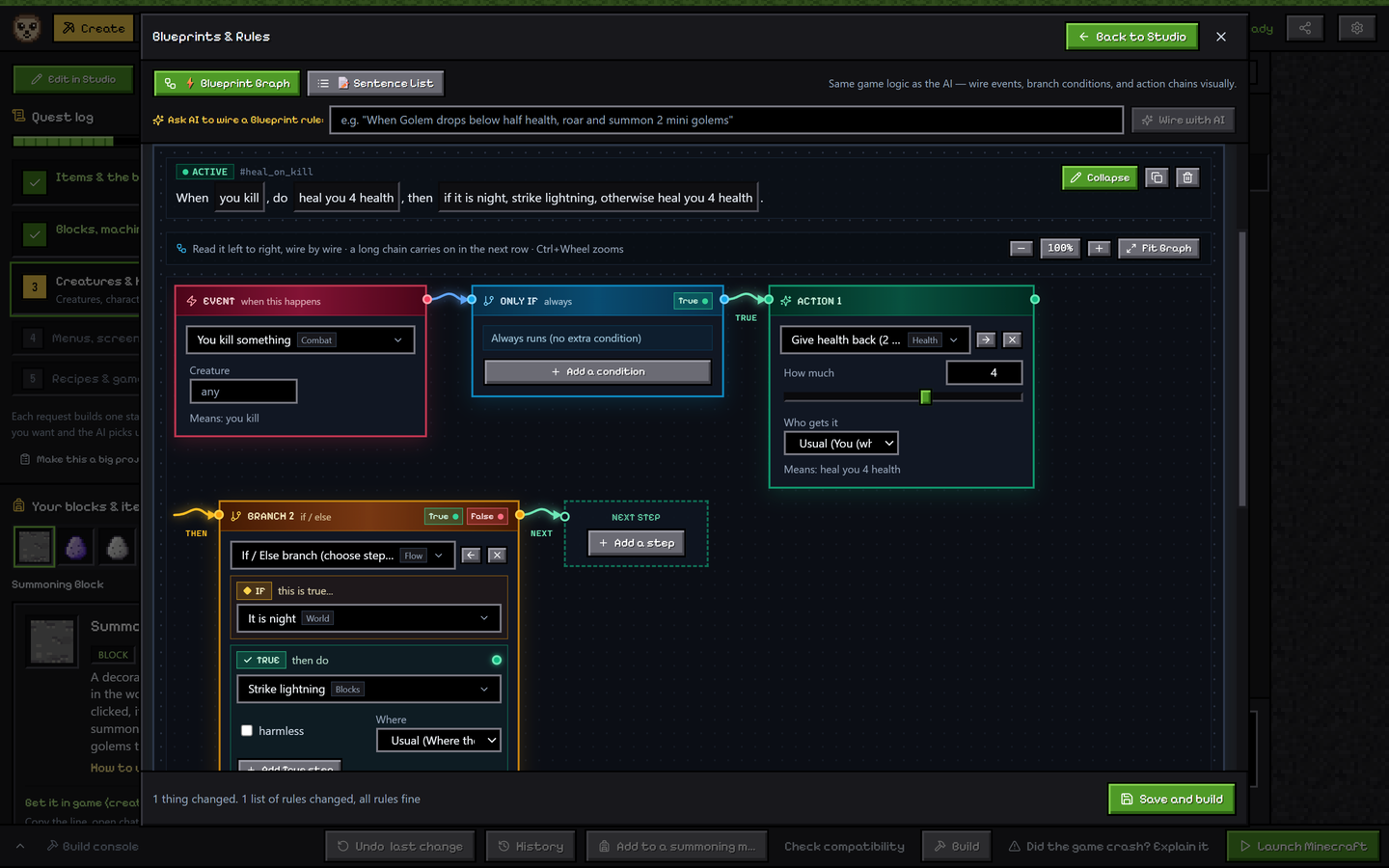
Visual Blueprint Node Graph — wire triggers, conditions, If / Else branches, Repeat loops & Wait pauses visually 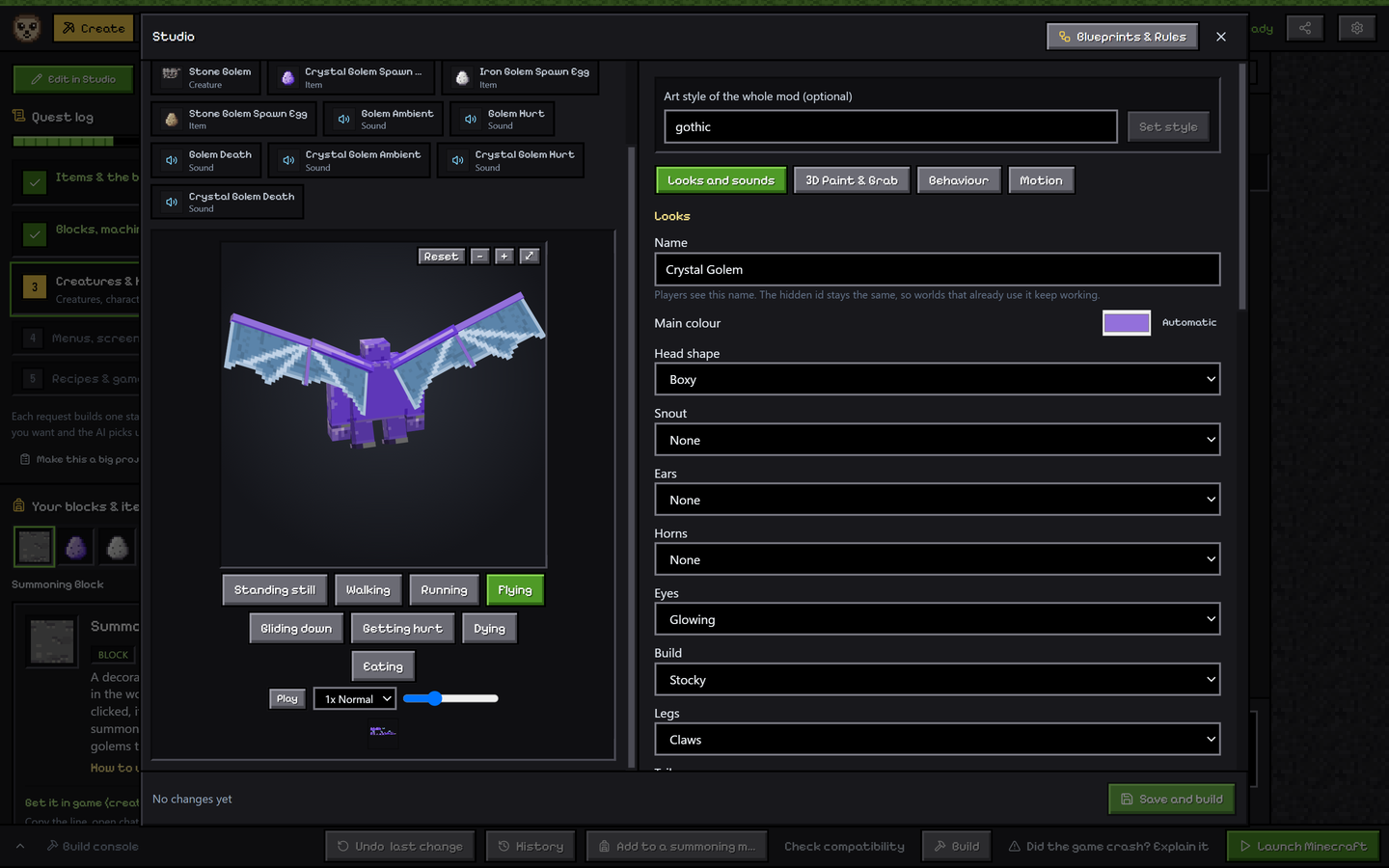
Wide 3D Studio & Articulated Wings — arched membrane and feathered wings, zoom/reset/pause controls & part sliders 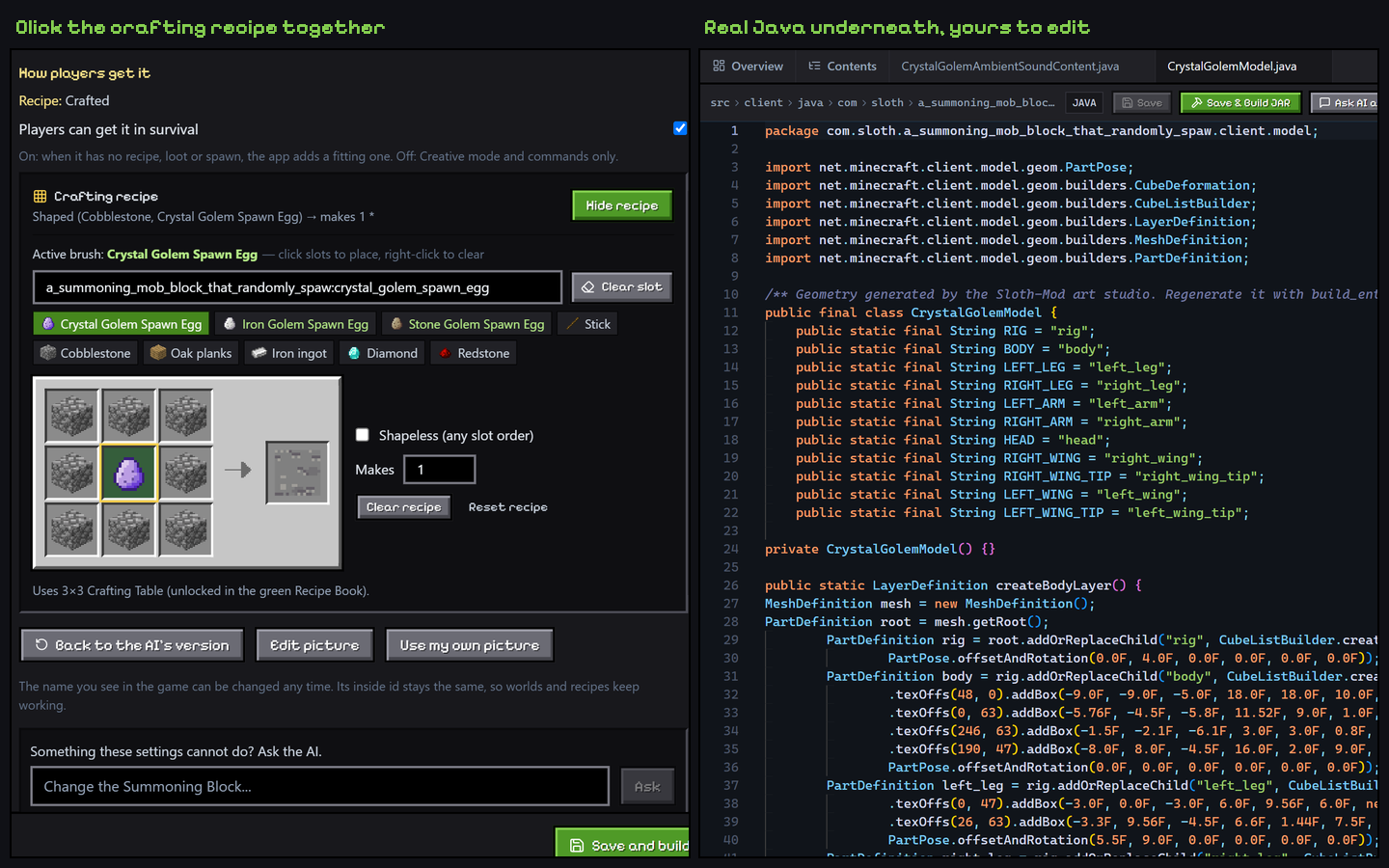
Real-Icon 3x3 Crafting & Code Mode — visual recipe painting with vanilla-override warnings + syntax-coloured Java IDE

3D Brush Painting & Part Grab
Paint pixel strokes directly onto any 3D creature, weapon or block with Pencil, Fill, Colour Swap, Eraser, Eyedropper and Left/Right Mirror synced with the 2D UV sheet, or grab and scale parts in 3D.

Visual Blueprints & Sentences
Wire every rule as an interactive node graph with colour-coded wires, If / Else branches, Repeat loops and Wait pauses, flip to plain sentences anytime, or ask AI to wire a graph.

Dodge Rolls, Parries & Spell Wheels
Lunge through hits with directional dodge rolls, open timed parry windows with stagger and counter-damage, and cast from a radial spell wheel with three loadouts and 3D staffs.

Skill Trees & Multi-Move Bosses
Build custom windows with permanent passive skill trees, plus bosses that telegraph slams, sweeping beams and pulls with breakable body parts that disable tied attacks.

Better Wings, Serpents & Hitboxes
Arched membrane and feathered wings that fold cleanly, grounded waving serpents, per-part size sliders (
0.35xto3x), watched stalkers, ranged mobs and multi-part hitboxes.
3x3 Crafting, Altars & Ore Veins
Click-paint 3x3 crafting recipes with real Minecraft item icons, build 3D summoning altars with floating particles, and turn any block into an Overworld, Nether or End ore vein.

Code Mode with Java Highlighting
Switch to dark-theme Code mode (or open any existing Fabric, NeoForge or Forge Gradle folder from Home) with Java, JSON and Gradle syntax colouring, one-click builds and file AI help.

One-Click Showcase Cards
Open Share to copy a ready-to-paste Discord or Markdown post, or save a crisp
1200x630PNG banner card with your mod's icon, summary and version badge.
Where Sloth-Mod is going
A short, honest note. Nothing you use today is going away, and we say plainly what is real and what is not.
More ways to shape your own experiences
One sentence is a great start. Next we want you to shape more of it yourself, without code:
- campaigns with missions, quests and characters
- cutscenes and dialogue
- keep making it easier on cheap and free AI
No dates, on purpose. We would rather tell you when something is ready than promise it early.
What stays the same
- Free. No accounts, no tracking.
- Windows, installed for your user only.
- Cheap or free AI. Cloud AIs with free tiers, or an AI on your own PC.
- Safety checks on everything the AI writes, before every build.
Nothing breaks when you update: your mods, settings and keys stay. Tell us what you would like to make in the Community discussions.
What you can make
If you can describe it, you can try it. Mods are real Minecraft mods (.jar files) that you can play, share with friends and publish.
Items
Swords, snacks, tools, gems and gadgets, with their own look, sounds and behavior.
Blocks
Glowing lamps, singing blocks and machines that remember things, even after you reload the world.
Mobs
Friendly or hostile creatures: dragons, winged beasts and fairies, flying, swimming or rideable, with their own model, art, spawn rules and sounds.
Big projects
Whole game-changing mods. The AI writes a design and a step-by-step plan, then builds one piece at a time so you can test each step.
How it works
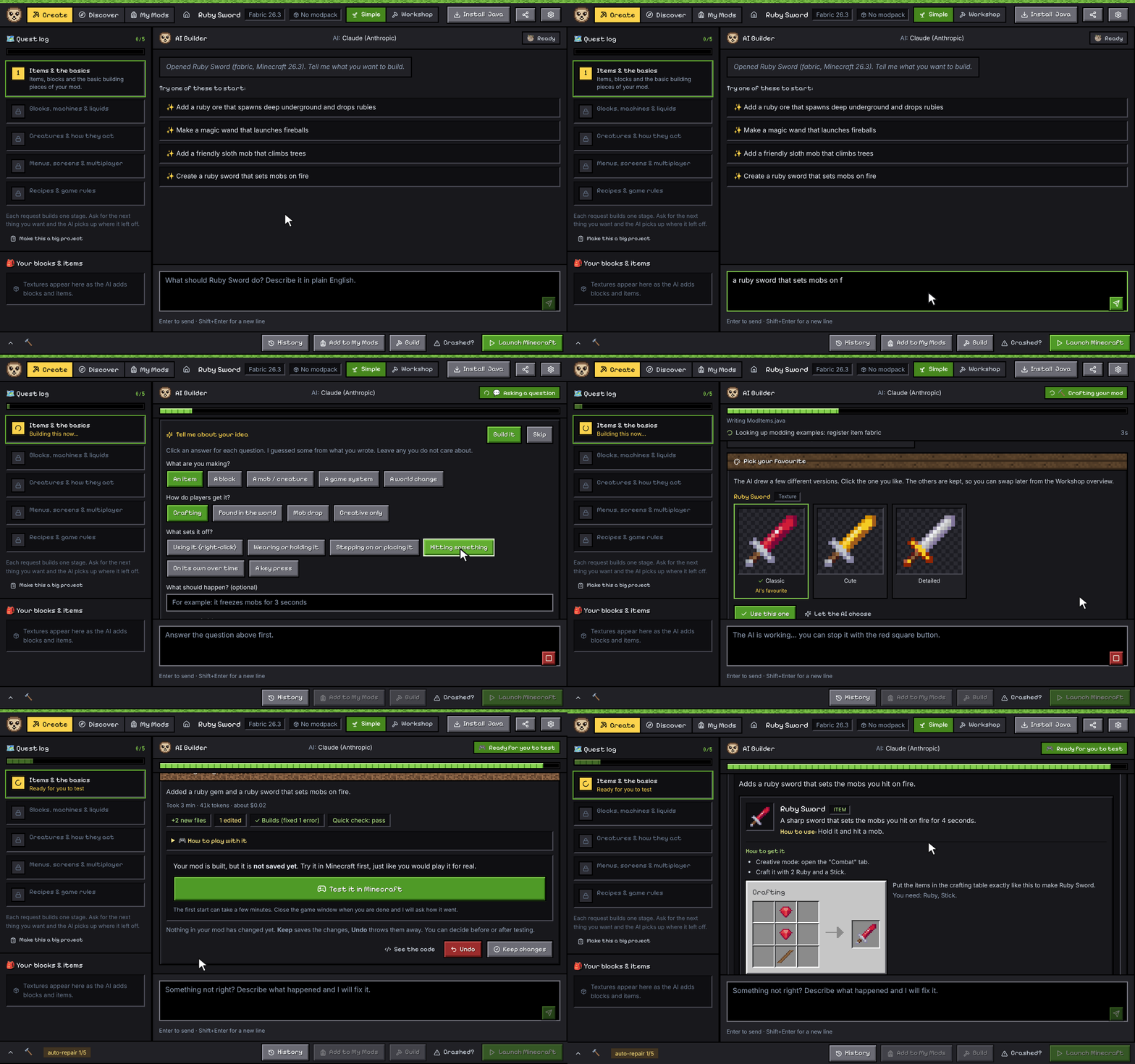
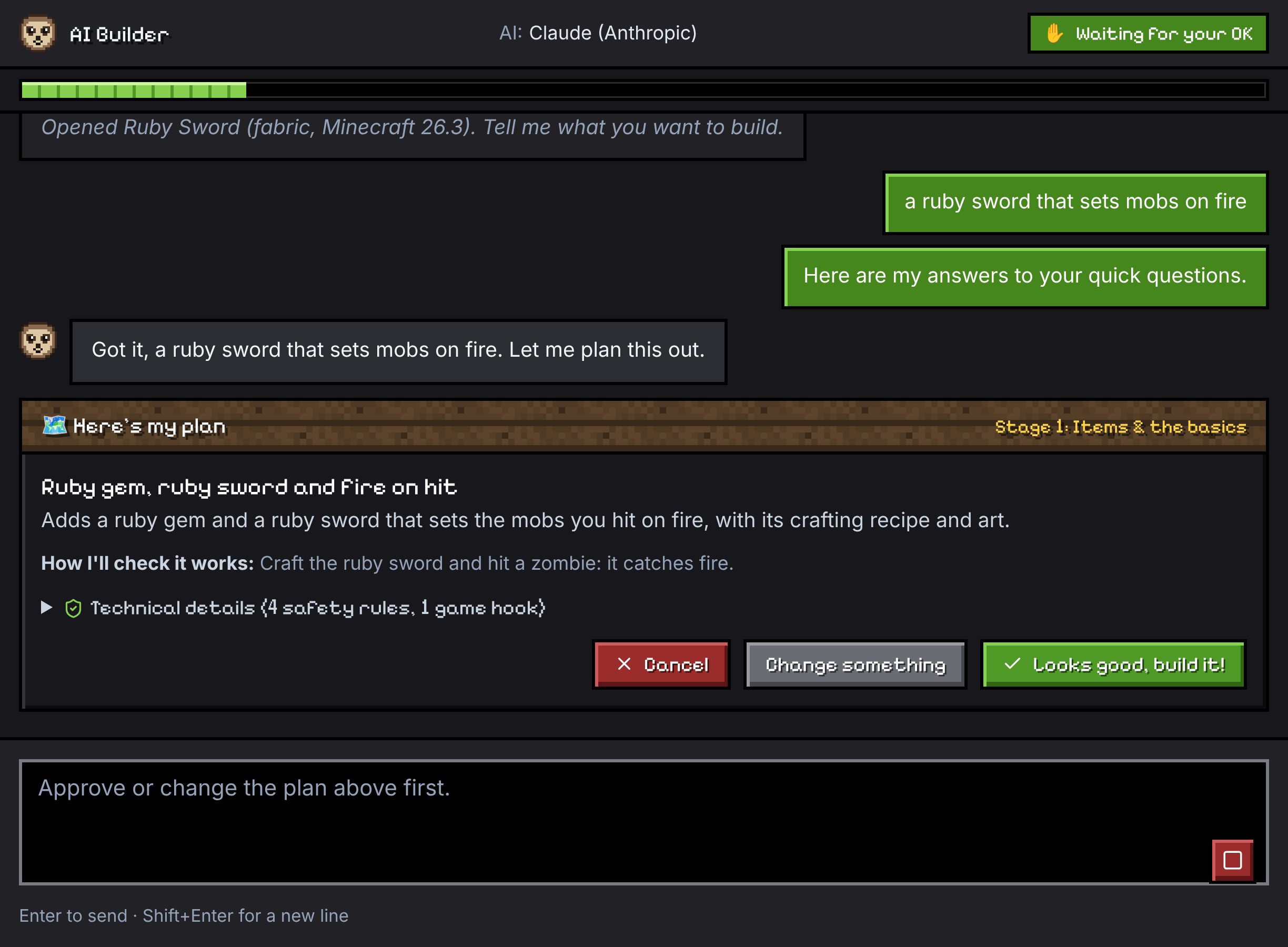
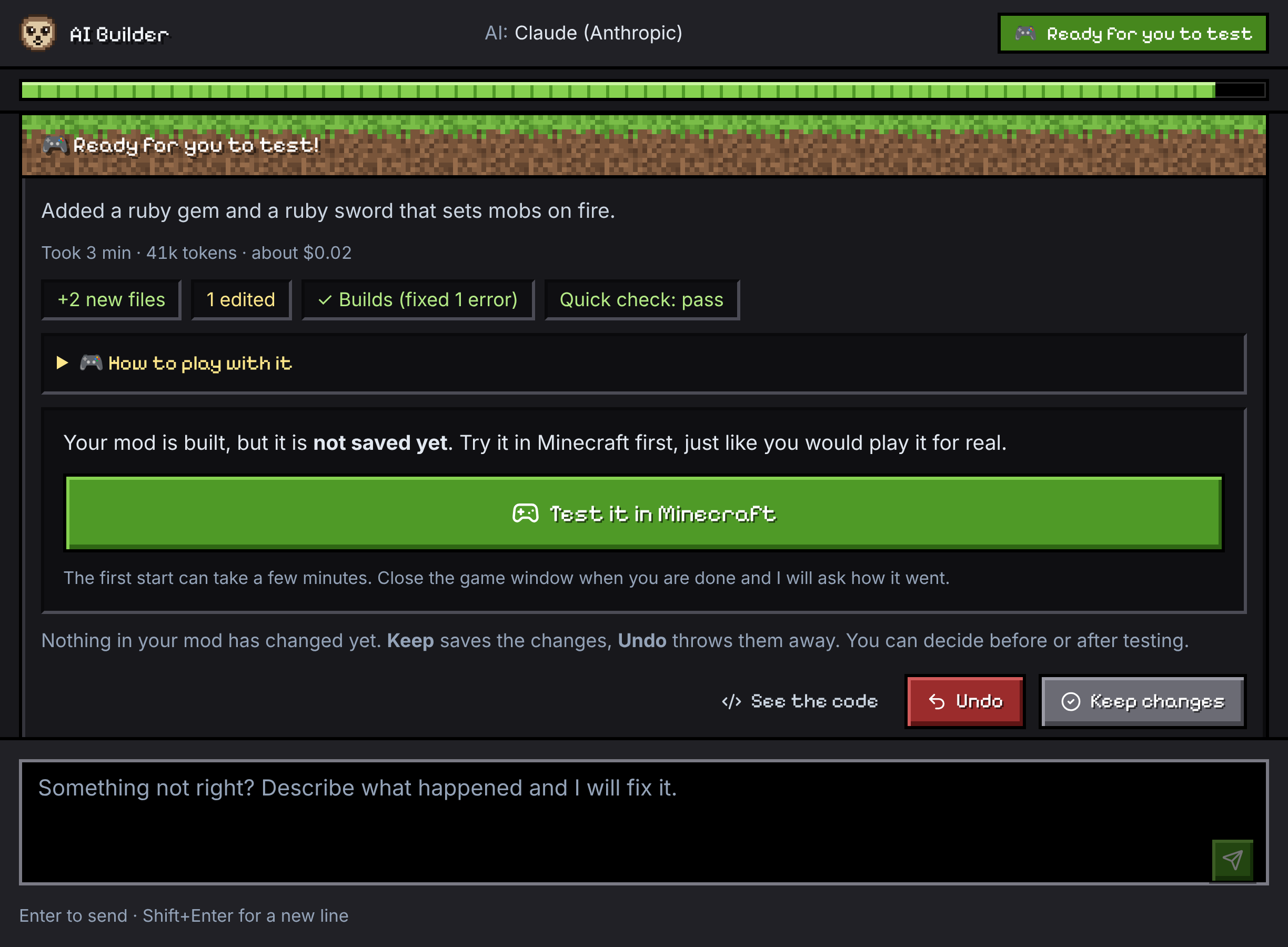
Four steps, and you stay in charge the whole way. Nothing is saved into your mod until you say so.
- Describe itType what you want, like "a honey cookie that heals a lot". Pick an idea from the home screen if you are stuck. The AI asks only what it needs.
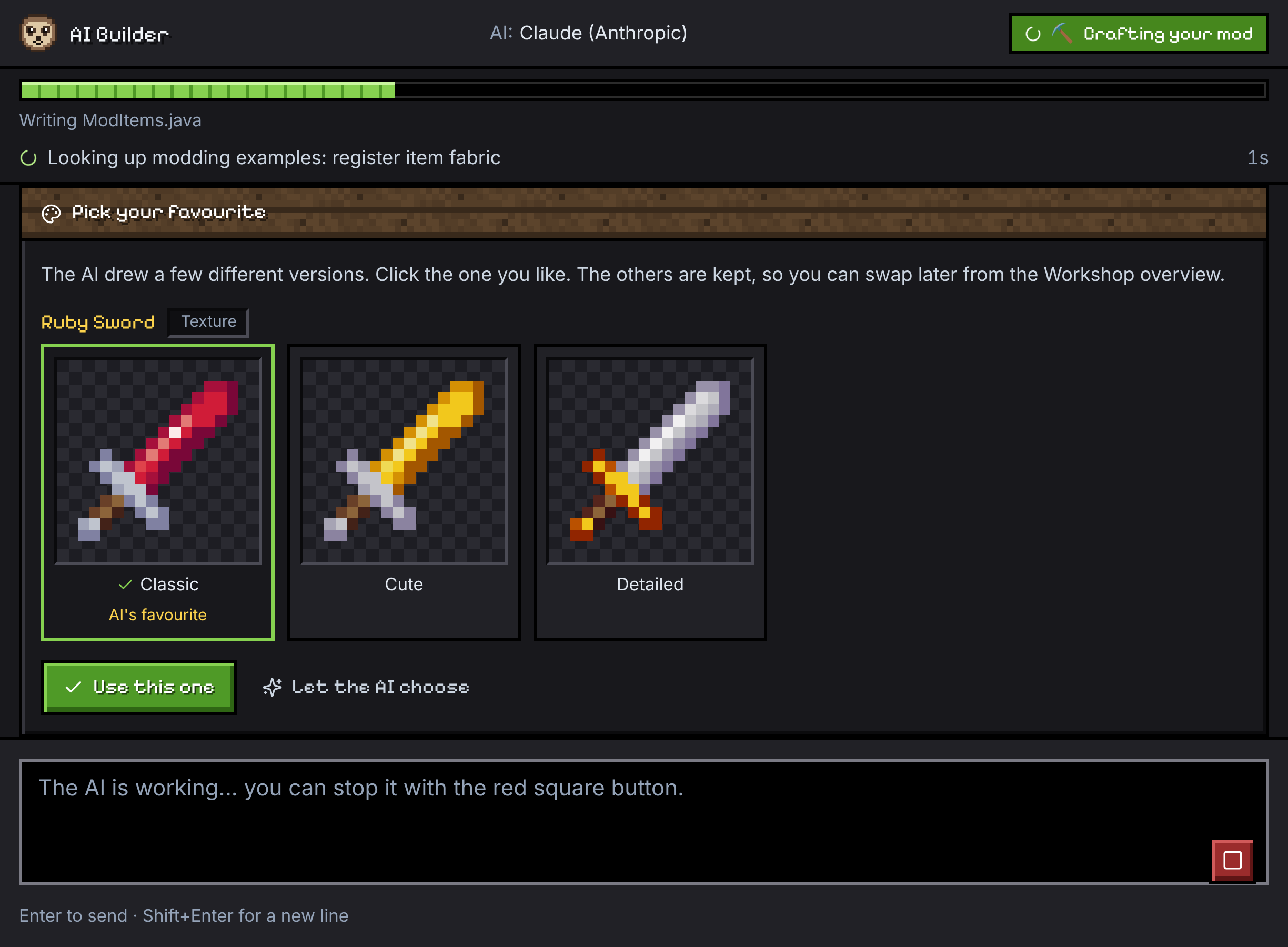
- Pick the artThe AI draws a few versions of each texture and 3D model. Click the ones you like. The others are kept so you can swap later.
- Test in gameSloth-Mod builds the mod, repairs build errors and starts Minecraft with your unsaved build. Then you answer "Did it work?".
- Share itKeep it, undo it, or ask for a fix. Add it to a game profile, export a .jar with a friendly readme, or publish a draft to Modrinth.
See it in action
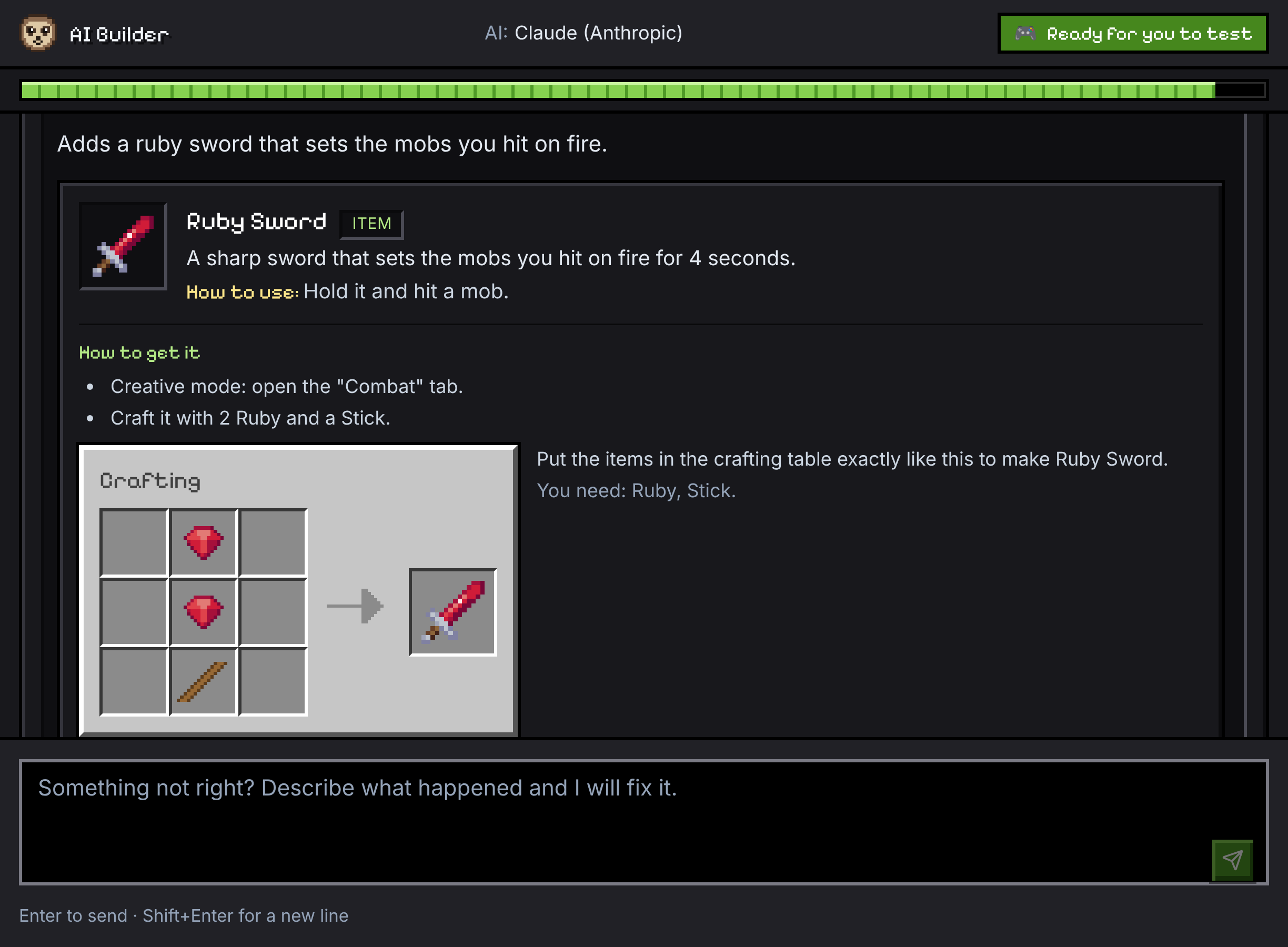
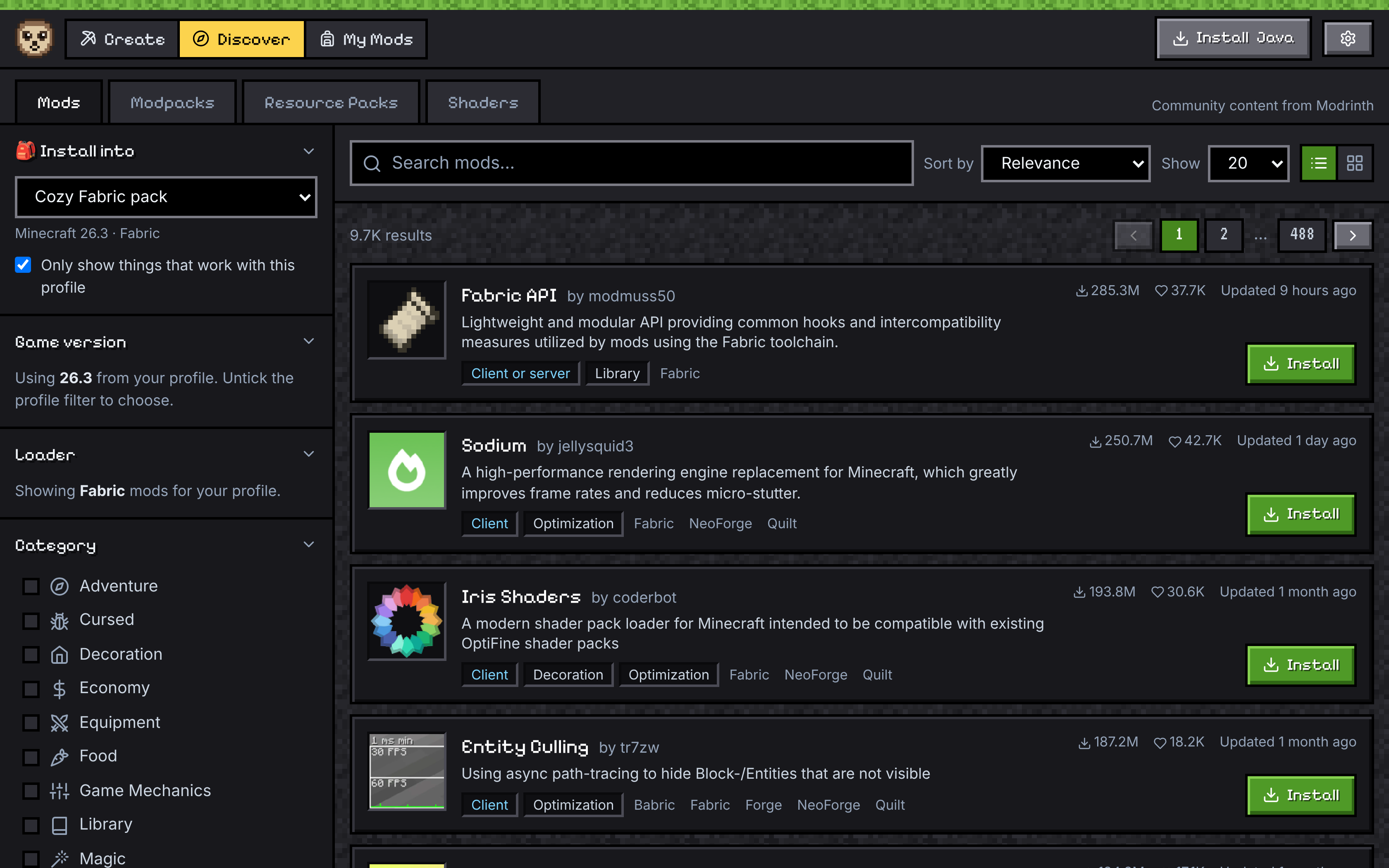
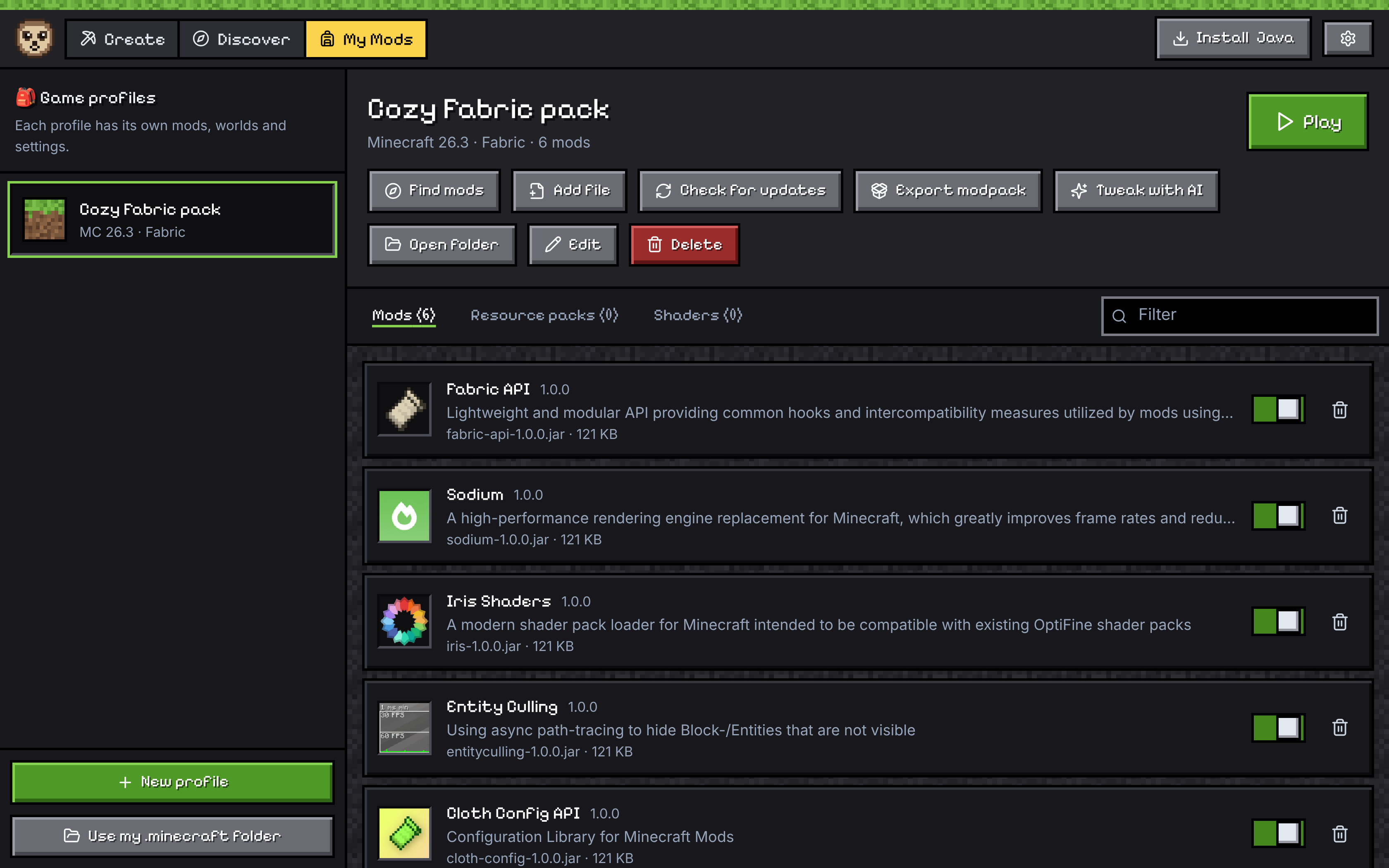
Real screenshots of the app, from one sentence to a finished mod.
Creatures & Bosses
Made by Sloth-Mod and played in Minecraft: dragons, fairies with butterfly wings, articulated winged beasts, multi-part bosses and ranged sentinels.
Rideable flying dragons need Fabric 26.3 for now.
Look around in the game
Pick a creature, then a side. Every picture is a real screenshot of the creature standing in Minecraft.
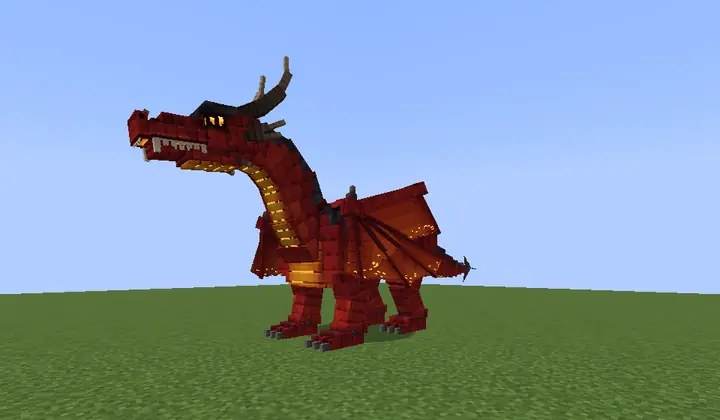
These are pictures taken in Minecraft from four sides, not 3D. You can drag sideways to change the side.
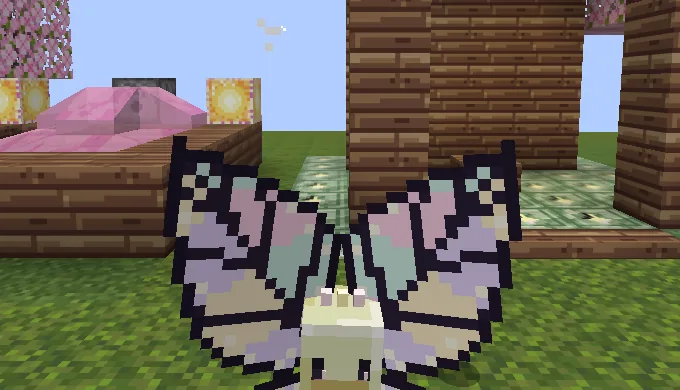
A fairy with butterfly wings 
Five dragons, five looks 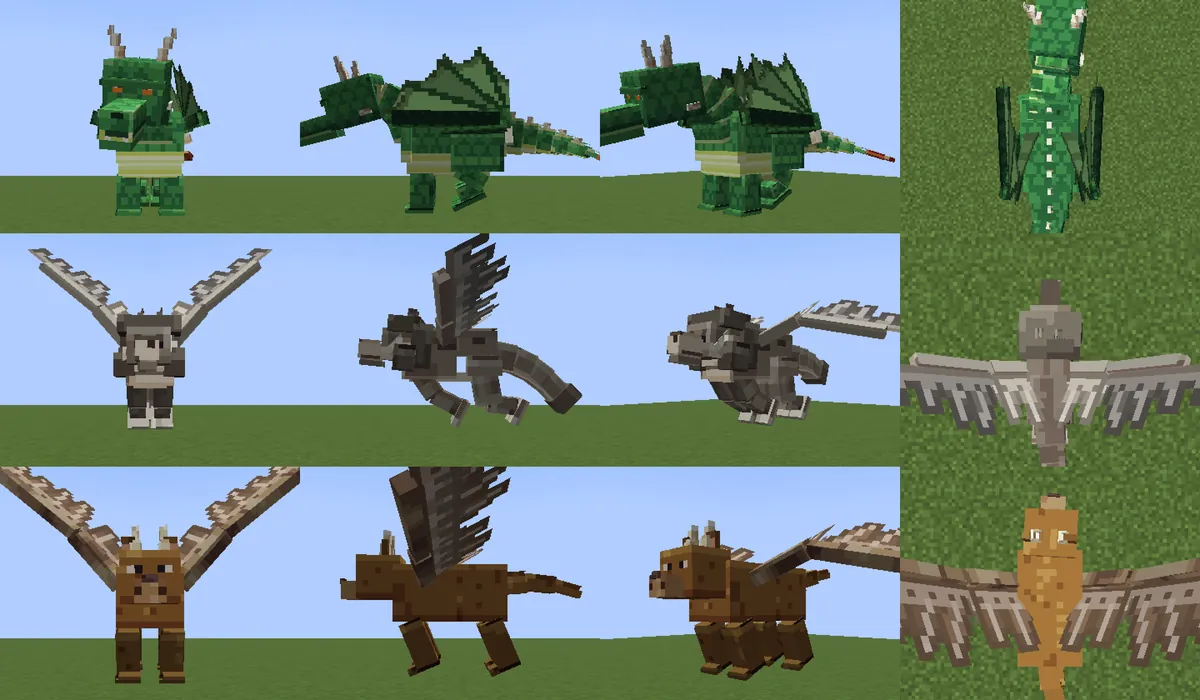
Leathery and feathered wings: a drake, a winged wolf and a winged stag 
A dragon whose flap was set by hand 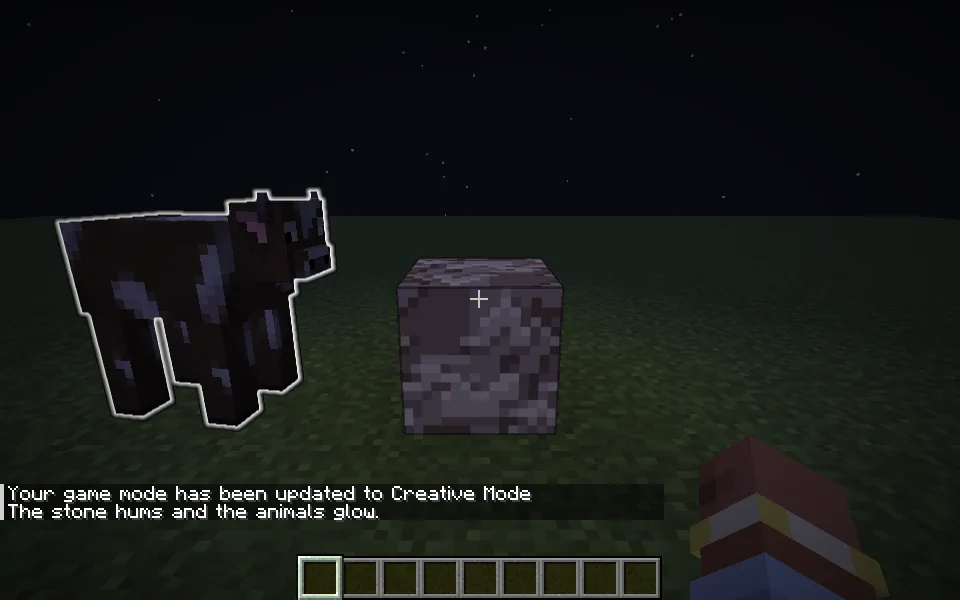
A rule you wire: the stone hums and the animals glow 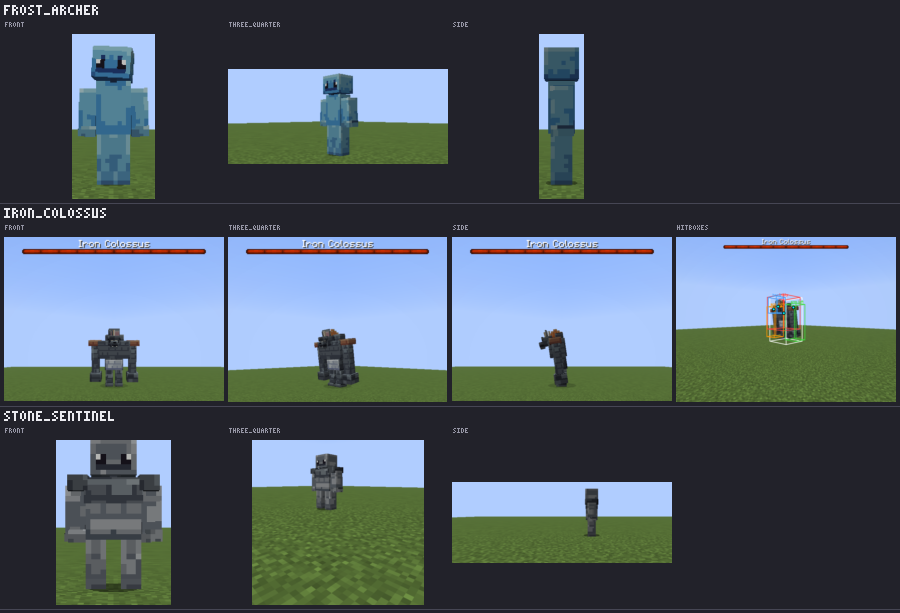
1.4 in Minecraft 26.3: multi-part Iron Colossus boss, Frost Archer & Stone Sentinel
Showcase
Everything in this section was drawn or made by Sloth-Mod's own engine, the same one that makes the art and sounds in your mods. No image generator, no Minecraft art, nothing touched up by hand.
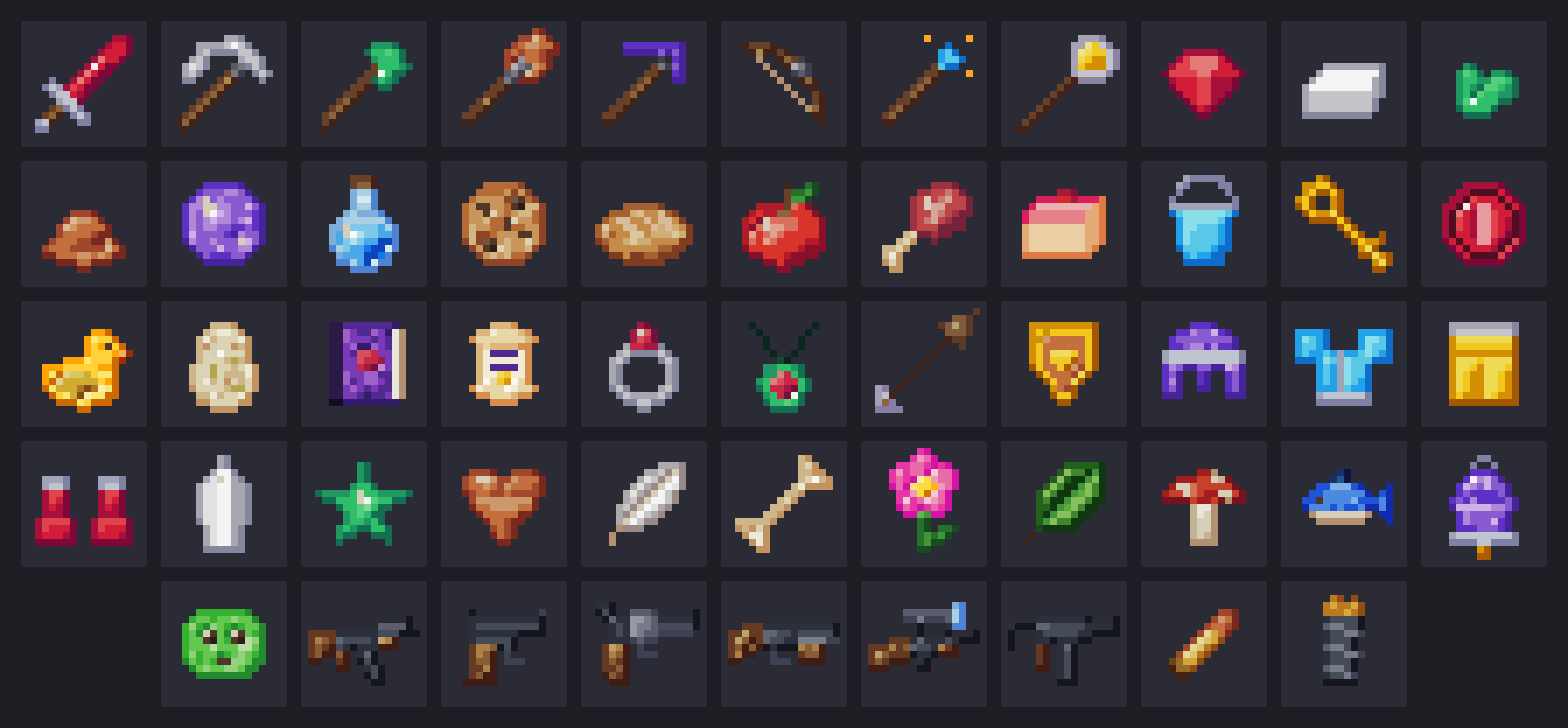
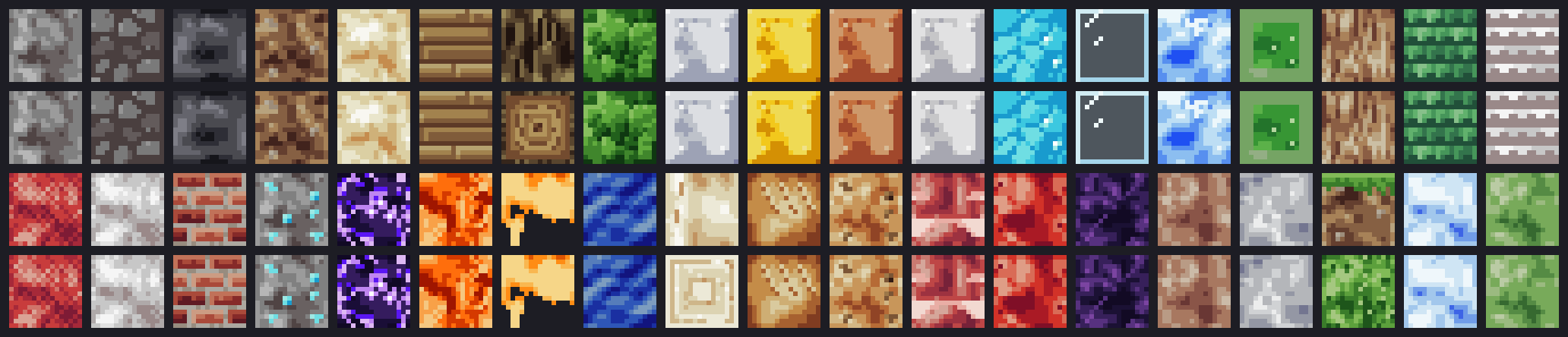
Items and blocks
Real 16x16 textures from the engine. Items are shown the way the game draws a dropped item: every pixel stretched into a thin block. Creatures have their own section above.
Pick Guns, Tools, Food or Blocks, then drag to turn it. Click it (or press Enter) for the next one, or use the ← → keys when it is focused.
In the app, the art picker shows you several versions of each one, so you choose what ends up in your mod.
Sounds
Made by the sound maker, not recorded. Each one becomes a real sound in your mod.
Everything in the box
A complete mod studio for people who do not code, a full Code editor for those who do, and a Modrinth manager for everyone who plays.
Any AI, including free and local
Claude, OpenAI, Gemini, Grok, DeepSeek, OpenRouter (has free models), Mistral, Groq and more, or run one on your own PC with LM Studio or Ollama. Keys stay in Windows Credential Manager.
Art picker & 3D Studio
Pick from several designs of every texture and 3D model, then open Studio to paint pixels directly onto the 3D surface synced with the 2D UV sheet, grab and scale parts, or edit 3x3 crafting recipes.

Sound maker
614 kinds of sound, from squeaks and chimes to dragon roars and machine hums, made in the app, checked, and added to your mod as real sounds. No more "chicken that sounds like a chicken".
How-to-play guides
Every mod gets a player guide with crafting panels drawn like the real game, drop and spawn info, ready-to-paste commands and a pixel icon.
Combat, magic, bosses & creatures
Dodge rolls, parries, spell wheels, passive skill trees, multi-move bosses with breakable parts, rideable flying dragons, watched stalkers, ranged mobs, guns, vehicles and wearables.

Visual Blueprints & Code mode
Wire triggers, conditions, If / Else branches, Repeat loops and Wait steps visually (or as plain sentences), or switch to dark-theme Java Code mode with one-click builds and file AI help.
Hands-on tweaks without AI
Change sizes, colours, numbers, sounds, motion, body parts, 3D skin pixels, 3x3 recipes and Blueprint rules offline in Studio — instant previews, zero AI tokens required.
Update to a new Minecraft version
One run moves your mod to a newer version of the same loader (or Forge to NeoForge) and keeps your art, sounds and hand edits.
Big project mode
For huge ideas: an approved design, a 20 to 50 step roadmap and a project map, built one tested step at a time.

Spending limit
See what each mod costs. Ask before one mod passes an amount you pick, or stop for the day after a daily cap. A PIN can lock the limits.

Safety guard
AI-written code is scanned before every build for things a mod should never do, like launching programs, opening web connections or touching files outside the game folders. Build files are checked and locked too.
Mod manager with Modrinth
Discover mods, modpacks, resource packs and shaders. Game profiles, on/off switches, one-click updates, .mrpack export and Play through the official launcher.

Modpack compatibility check
Before your mod joins a pack, a throwaway server starts with the pack's mods and tells you in plain words whether it works.
Six active targets, three loaders
Minecraft 26.3, 1.21.1 and 1.20.1 on Fabric, NeoForge and Forge (see the table below). It downloads its own Java, so your system Java is never touched.

Review, undo, history
The AI works in a sandbox copy. You review the changes, keep or undo them, and restore older versions from History.

Crash explainer
If the game closes unexpectedly, Sloth-Mod reads the crash report, explains the cause in plain English and offers a "Fix it" button.
Share, banner cards & publish
Export a .jar with a friendly readme, save a 1200x630 PNG showcase banner card, copy a Discord/Markdown post, or publish a draft project to Modrinth.
| Minecraft | Fabric | NeoForge | Forge |
|---|---|---|---|
| 26.3 | Yes | Yes | No |
| 1.21.1 | Yes | Yes | No |
| 1.20.1 | Yes | No | Yes |
Safe and private, in plain words
Mods are programs, so Sloth-Mod is careful with what the AI writes and with what leaves your PC.
A guard reads the AI's code
Before every build, AI-written code is scanned for things a mod should never do, like launching programs, opening web connections or touching files outside the game folders. The build files are checked too, locked while a mod is made, and only source files can be added to your project. A blocked build tells you why.
Nothing is kept until you say so
The AI works on a copy. You test the result, then keep it or undo it. Older versions stay in History.
No accounts, no tracking
No sign-up, no telemetry, no analytics. The only thing added to your mods is a small "Made with Sloth-Mod" credit line, and you can switch it off. Your mod and its source are yours. Your requests and mod files go only to the AI you pick, or nowhere at all with a local AI. The AI may read a short summary from Wikipedia or the Minecraft wiki while planning (can be switched off).
Keys stay on your PC
API keys live in Windows Credential Manager, never in files or logs. Sloth-Mod never sees your Microsoft login: the official launcher handles it.
Free, and your mods are yours
Sloth-Mod costs nothing. What you make with it belongs to you: share it, publish it or sell it. Every open-source part inside the app is listed with its license.
Honest limits
The guard is a safety net, not a guarantee, and the installer is not code-signed yet. Code that passes the guard still runs with your Windows rights. Only play mods you trust.
PrivacySecurityDisclaimerLicenses
Sloth-Mod is a fan-made tool. It is not an official Minecraft product and is not approved by or associated with Mojang or Microsoft.
System requirements
A normal Windows PC that can already run Minecraft is enough.
- Windows 10 or 11, 64-bit
- About 4 GB free disk space for the Java and Minecraft downloads
- Internet for the first setup (and for cloud AIs and Modrinth)
- A Minecraft Java Edition account to play what you make
- No Java, Gradle or coding tools to install, Sloth-Mod brings its own
- Installs for your user only, no admin prompt
- Prefer offline AI? Point it at LM Studio or Ollama on your PC
New things are built and proven first on Fabric 26.3. NeoForge 26.3, NeoForge 1.21.1, Forge 1.20.1, Fabric 1.21.1 and Fabric 1.20.1 work and get fixes, and new things reach them in batches. Existing 26.1 and 26.2 projects still open and move to 26.3 in one click. Small updates arrive often, and the app offers them by itself.
Support Sloth-Mod
Sloth-Mod is free. If it helps you, you can support it here.
It is just a link. This page loads nothing from them, and it is fine not to.
 or scan with your phone
Questions
Is it free?
Yes. Sloth-Mod is free to download and use, and the mods you make are yours. The only cost can be your AI: some providers have free tiers, OpenRouter has free models, and local AIs (LM Studio, Ollama) cost nothing to run. The app can show what each mod cost and lets you set a spending limit.
Do I need to know how to code?
No. You describe what you want in plain English, answer a few clickable questions, and customize looks, parts, crafting and visual Blueprints by hand. If you do like code, Code mode and Workshop view give you a syntax-coloured Java editor, diffs and one-click Gradle builds.
Which AI should I use?
Any of them. The setup wizard lists every provider with a "Get an API key" button and a note on cost, and a Test this AI button checks that it can really drive the app. Bigger models make bigger mods with fewer repairs. For free: OpenRouter's free models, or a local model through LM Studio or Ollama.
Why does Windows show a warning?
Sloth-Mod is free and not paid-signed (a signing certificate costs money), so Windows SmartScreen can show a blue "Windows protected your PC" box for a new app. Click More info, then Run anyway. Only do this for the installer from this site or the GitHub Releases page. Updates the app downloads later are signed and checked before they install. More in Privacy and Security.
Is it safe?
It is built to be careful. The AI writes into a sandbox copy and you review the changes before anything is kept, with undo and history. AI-written code is scanned before every build for things a mod should never do. The build files are checked and locked while a mod is made. Downloads from Modrinth are checked against their SHA-512 checksums, and your API keys are stored in Windows Credential Manager, never in files. It never sees your Microsoft login: signing in and launching stay with Mojang's own launcher.
Be honest with yourself about limits: mods are programs, and the guard is a safety net, not a guarantee. Only play mods you trust, and see SECURITY.md for details and how to report a problem.
Does it work on Mac or Linux?
The installer is for Windows 10 and 11 only.
What about privacy, and "Sign in with Grok"?
No accounts and no telemetry: your keys stay in Windows Credential Manager, and your prompts and mod files go only to the AI provider you choose. Downloads contact Modrinth, Mojang and the loader sites. Read PRIVACY.md, DISCLAIMER.md and the third-party licenses. "Sign in with Grok" is experimental and off by default: it may be against xAI's terms, so an xAI API key is the supported way.
Is this an official Minecraft product?
No. Sloth-Mod is a fan-made tool. It is not approved by or associated with Mojang or Microsoft, and it contains no Minecraft assets.
Something broke. What do I do?
Press Report a problem in the app (on the failure card, in the crash window, or in Settings). It fills in a GitHub issue for you with your log already attached, with keys and your Windows name hidden. You just check it and press Submit. Have an idea? Use Suggest an improvement in the app, or open an issue here.